No internet required
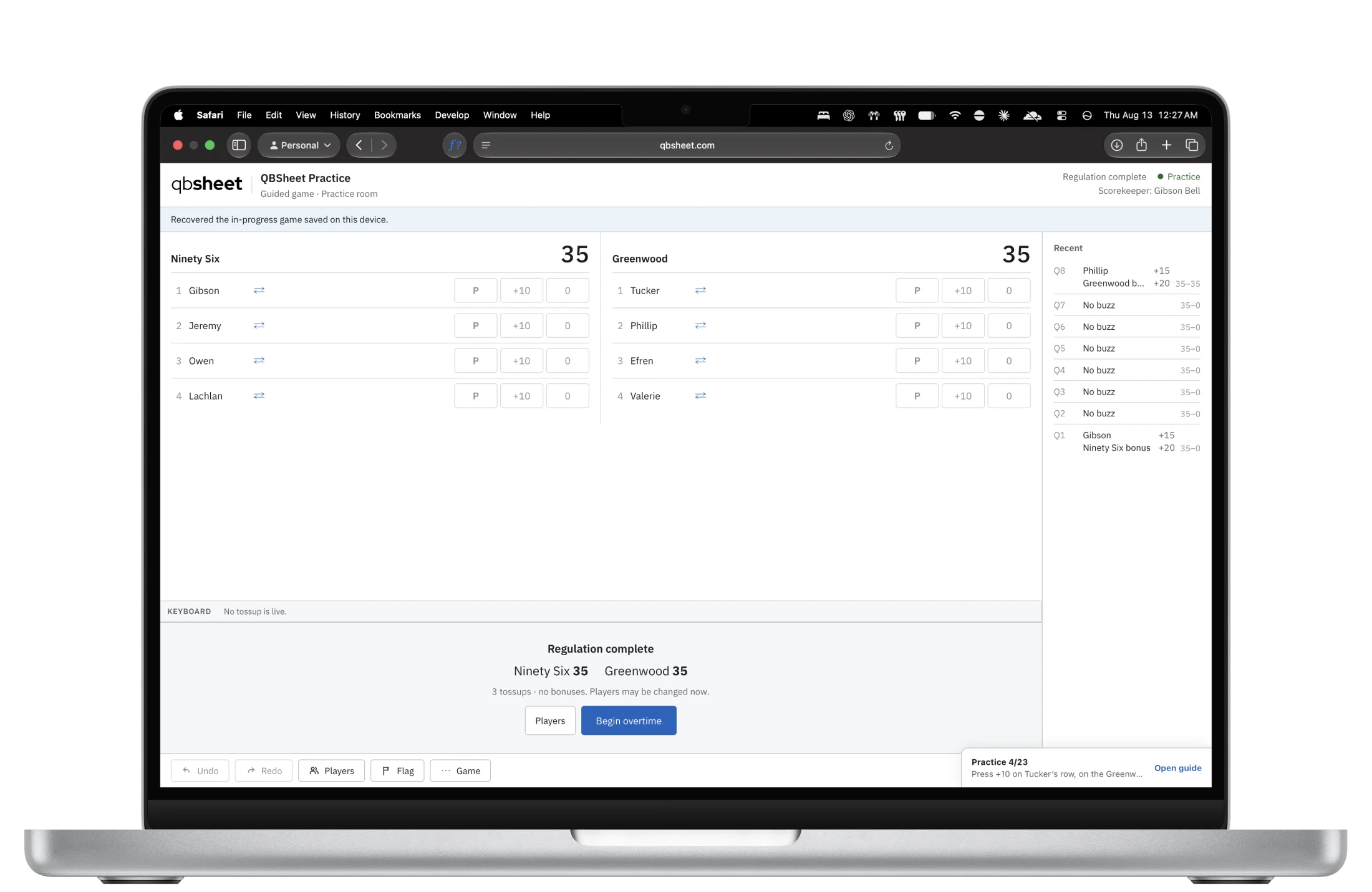
Scoring happens on the device. Once a game is open, losing the network does not stop the room, and a reload restores from local state rather than from a server.
QBSheet keeps quiz bowl scoring fast, flexible, and out of your way, whether you’re connected or offline.
From start to finish
From the first setup to the final result, QBSheet fits the way you already score.
Start with a game.
Open a QBJ assignment, connect QBSheet to tournament control, or create a game yourself for practice, scrimmages, and tryouts. QBSheet asks for the teams, players, and scoring rules it still needs.
Score the game.
The scorekeeper gets a scoresheet built around the game they started, with the setup in place before scoring begins.
Keep the finished result.
When the game is over, QBSheet keeps the result on the device. Connected games can be sent back to tournament control; any game can be downloaded as QBJ.
Scoring happens on the device. Once a game is open, losing the network does not stop the room, and a reload restores from local state rather than from a server.
QBSheet asks only for what the assignment left out. A document that named the teams, the players and the rules leaves nothing for the room to re-enter.
Configure scoring and lineup rules around the tournament instead of forcing the tournament around the scoresheet. QBSheet never infers a format from the name of a rule set.
Every accepted question is written to the device as it is scored, and a finished game stays there, downloadable as QBJ, for days after it was handed over.
One system
QBSheet is the scoresheet. Two other pieces sit either side of it, and each is optional until you want it.
OPEN BY DESIGN
QBSheet uses open formats and an open protocol, so tournament data can move between the scoresheet and compatible tournament software.
Open QBSheet and start with the game in front of you.